Yesterday, over my lunch break, I had it connected to my dock and was tinkering away with installs and other things. No one noticed that I wasn’t just using my computer, lol.
1 Like
Have one on mine, works great, noticed no difference in sensitivity after installing it.
1 Like
If the one I just ordered gives me issues, I’ll try dbrand.
So I got the Epic Store running on my Steam Deck but can’t seem to get Inscryption to run. Got to tinker some more.
Figured it out, it was an input issue.
So controls in Psychonauts are definitely not working right right off the go. I couldn’t even start the game proper, I was just stuck in my bunk trying to start. I’ll try the solution you wrote out and see how that goes.
I love this thing. Messing around in desktop mode is as much fun as actually playing games.
1 Like
Have you attempted to knife your steam deck like they show in the advertising?
2 Likes
I have not, but it’s big enough that you could certainly strap it to your chest and use it as a bullet/knife-proof vest. It’s not going to fit in your pocket anyway, might as well wear it. 
I have not done anything ‘interesting’ with my deck, just installed Steam games and played them. I can share what has and hasn’t worked if anyone is interested. You definitely cannot rely on their verification system.
4 Likes
I was playing a bit of Star Wars Jedi: Fallen Order last night via Game Pass streaming and my takeaway is that the Steam Deck is wonderful for playing streaming games, but it’s button layout is a bit awkward for fast pace games. Perhaps it’s partially that I need to get accustomed to the layout, but I found I struggled to quickly move my left thumb from the analogue stick to the dpad, something I don’t struggle with when playing with any other standard gamepad. I feel that locating the dpad off to the far left of the analogue stick makes quick input a little cumbersome. I also found that the dpad would fire off the wrong command, i.e. the game registers dpad up when I pressed dpad right. Perhaps I’m missing and actually hitting up instead of left. Perhaps this won’t be a problem once I’m more comfortable with the console. I also think that given I don’t play for my Steam Deck to be a powerhouse gaming device, and that most game I want to play are not typically AAA action games, this may prove not to be a significant issue at all.
1 Like
You should, I know I’m interested.
Other than Psychonauts everything I’ve tried has worked. Even Ghost of Tale which is listed as unsupported on ProtonDB. I had to tinker with a few visual settings but it seemed fine. Mind you I only played a bit of the intro.
I tested out Epic integration and was able to get Inscryption running through that launcher so that is encouraging.
Itch integration is great but, since it is a Linux app, you can only install games with Linux binaries from within the app. You need to visit itch.io and manually download the archive for Windows games to install separately. It’s an extra step but an easy one.
Game Pass Streaming, as I mentioned above, is super smooth and reliable. Microsoft’s instructions detailing how to get Game Pass up and running on the Deck are easy to follow.
1 Like
So far the worst luck I’ve had is with verified games. Out of the ones I’ve tried only a few worked ‘perfectly’ which is the promise of verification, you have to do nothing at all to make the game run exactly as it should.
Valve’s Desk Job - more of a demonstration of all the Deck features, had an issue. The gyroscopic controls stopped working every few seconds for a moment or two. An issue that I’m sure they addressed, but that was my experience.
Stardew Valley - one of the games I most wanted to play on Deck. I loaded up one of my saves but the game froze constantly making the experience terrible. Granted my save has a lot of stuff on my farm so I suppose a fresh game might not have that issue, but that also means never having an older farm. Again, this is an issue that could be addressed, but when I tried it, it simply wasn’t playable.
Luck be a Landlord - seems the perfect Deck game, and it’s verified, but it launches in an unplayable resolution and while you can get to the settings menu, there’s no way to change it. Perhaps there is a way to file edit to fix it, but it’s verified, so technically shouldn’t have to do that.
Project Zomboid - another game I wanted very much to play on Deck and up to a couple of days before I got mine, it was unsupported. I was thrilled to see it verified and it was the first game I tried to play. Unfortunately, there was no way to navigate the character customization screen. It’s possible the game is playable as long as you have a save or don’t care about customization.
Lego Harry Potter Years 1-4 - I have basically every Lego game and have played none of them, figured I might start with this one since it was verified. It could just be the game itself has this issue and it’s not a Deck thing, but the controls were very unresponsive. I would spend minutes trying to swap characters and it just wouldn’t let me.
Caveblazers - seemed to work fine, but I couldn’t work out what button swapped weapons, and they didn’t tell you the Deck controls in the settings. Pretty sure I hit every button and nothing happened.
Vampire Survivors - Works out of the box, as far as I can tell. I just… die a lot and make no progress so take that with a grain of salt.
Lego Jurassic Park - Only played a little bit, but it worked well. None of the issues of the other verified Lego game.
Shovel Knight - I think this one was only marked playable when I tried it, but I had no issues. It’s since been upgraded to verified. Again, I didn’t finish it, just tried it out.
Dysmantled - Only play tested for like 30 minutes, but no issues. Definitely a game that made me miss my mouse, so probably a PC game for me.
Terraria - I have played through this game a couple of times on the PC and while it’s verified, I had a hard time imagining playing it without a mouse. It does indeed work, but the controls just feel super awkward to me. I’m sure you would get used to it in time though. I would definitely never be able to kill a boss on the Deck though. 
Onto non-tested games…
Crowtel Renovations - Nopers, detects no input whatsoever.
Sunless Sea - Works super, again, only played a little, but this series was on the top of my list for Deck games so I’m stoked it works.
I Am Overburdened - It’s pretty quick to play through a whole game of this, which I did, and encountered no issues at all. I couldn’t figure out how to access the settings menu while in-game, which I only needed to do because it remember my settings from my PC where I had muted it. I thought maybe the sound just didn’t work, but I could access the settings at the main menu and turned it back on.
Stanley Parable Ultra Deluxe - Works with no problems, I prefer a game like this on my PC however.
House of Hell - I just picked a Tin Man Games title at random, since I’m pretty sure they all run the same engine. Worked perfectly, and completed a game with no issues.
I tried one ‘unsupported’ game, House of Many Doors. It indeed did not work. It launched but once you hit play, it did nothing. Since the dev has been MIA for 5 years now, I don’t see this being fixed.
I know I’ve played others but I’m forgetting them at the moment.
I got the Deck mostly to play text-heavy games (like Sunless Sea, Visual Novels in general), platformers (2D ones), and farming sims (like Stardew Valley). So for my purposes, it’s working out pretty good so far. I haven’t bothered trying to get a game to work or work better, I have too many games on Steam so I just move on to the next one. 
As for the Deck itself, I had one issue with it, It wouldn’t turn on the other day until I plugged it in. I thought perhaps the battery had somehow drained, even though I always shut it down at the end of the day. But the battery was still nearly full when I got it to turn on. Only ever happened the one time so far.
2 Likes
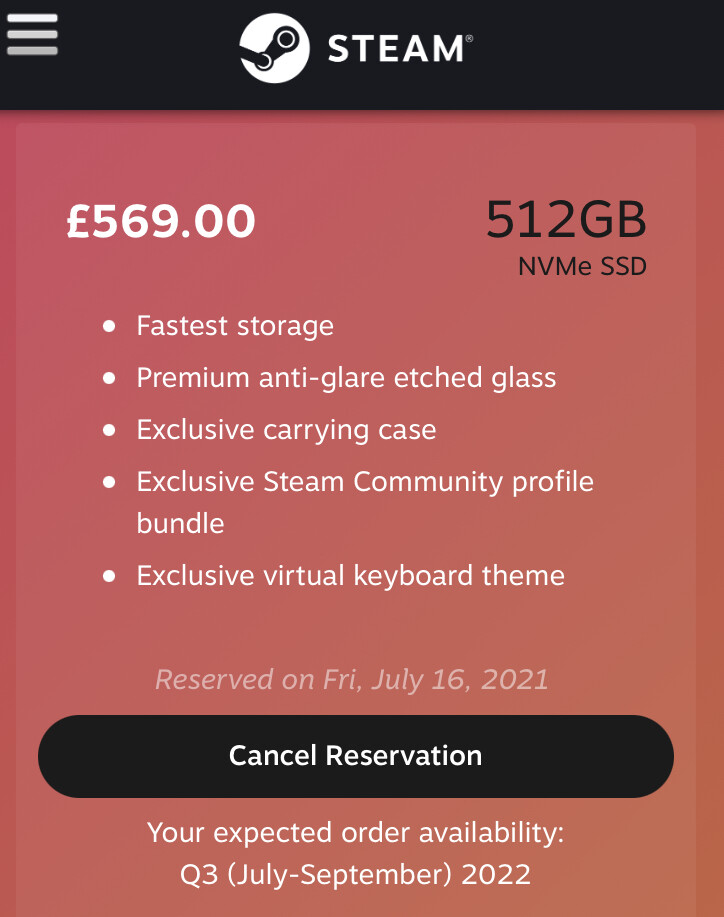

You could look at it this way, once you get your so many of the early hiccups will be resolved. Even if not resolved by Valve, the community is hard at work making games work smoother. You’ll be entering at a great time.
1 Like
…that’s what I’m hoping!
1 Like
Maybe it’s just because I’m exhausted but trying to set up emulators and have them access the SD card is throwing me for a loop. Has anyone successfully done this? I’ve searched and I found one guide on GitHub but my unfamiliarity with Linux means I’m a bit confused. Plus the guide doesn’t have info on bsnes which is the specific emulator I am trying to set up. Instead it has info on Snes9x and I’m not sure I can just extrapolate that process to bsnes.
Also has anyone tried EmuDeck?
1 Like
I have!
An issue I ran into was that most apps you install via the Discover store seem to have very limited permissions, so I couldn’t actually open my games. Some of the guides online talked about running commands that unlock these, but I had limited success with those.
I eventually found an app called Flatseal on the Discover store. This lists all the apps you’ve installed via the Discover Store and lets you adjust their permissions graphically. Usually, toggling on “user directory” underneath the file access options was enough to resolve those issues.
It didn’t exist yet when I was setting mine up, but if it had I would have gone that route! It automates a lot of crap I had to do by hand.
1 Like
Whoops, I misread your question @BMO: I have not set up access to an SD card. But Flatseal might still help: It lets you specify directory permissions per app, so you could make sure an emulator can see the MicroSD card when it’s mounted.
I will grab Flatseal and also will give EmuDeck a shot to see if it truly makes things easier. Thanks for the info @tylerisrandom (I keep forgetting to reply directly to your messages).
1 Like
In case you are curious, EmuDeck works quite well. Install is pretty seamless and so far everything works. One thing I haven’t figured out is how to force a different emulation. For example it uses snes9x for SNES games, but I read that bsnes provides more accurate results. I’m trying to figure out if I can switch to bsnes. Maybe it’s because I’m not that familiar with Retroarch.
FlatSeal seems super useful, but I couldn’t quite find a place that let me define the file path. Thankfully EmuDeck took care of that.
1 Like